
Keeping parents in the loop with a read-only portal
Give guardians their own window into every child's schedule, progress, and reports — without extra work for you.
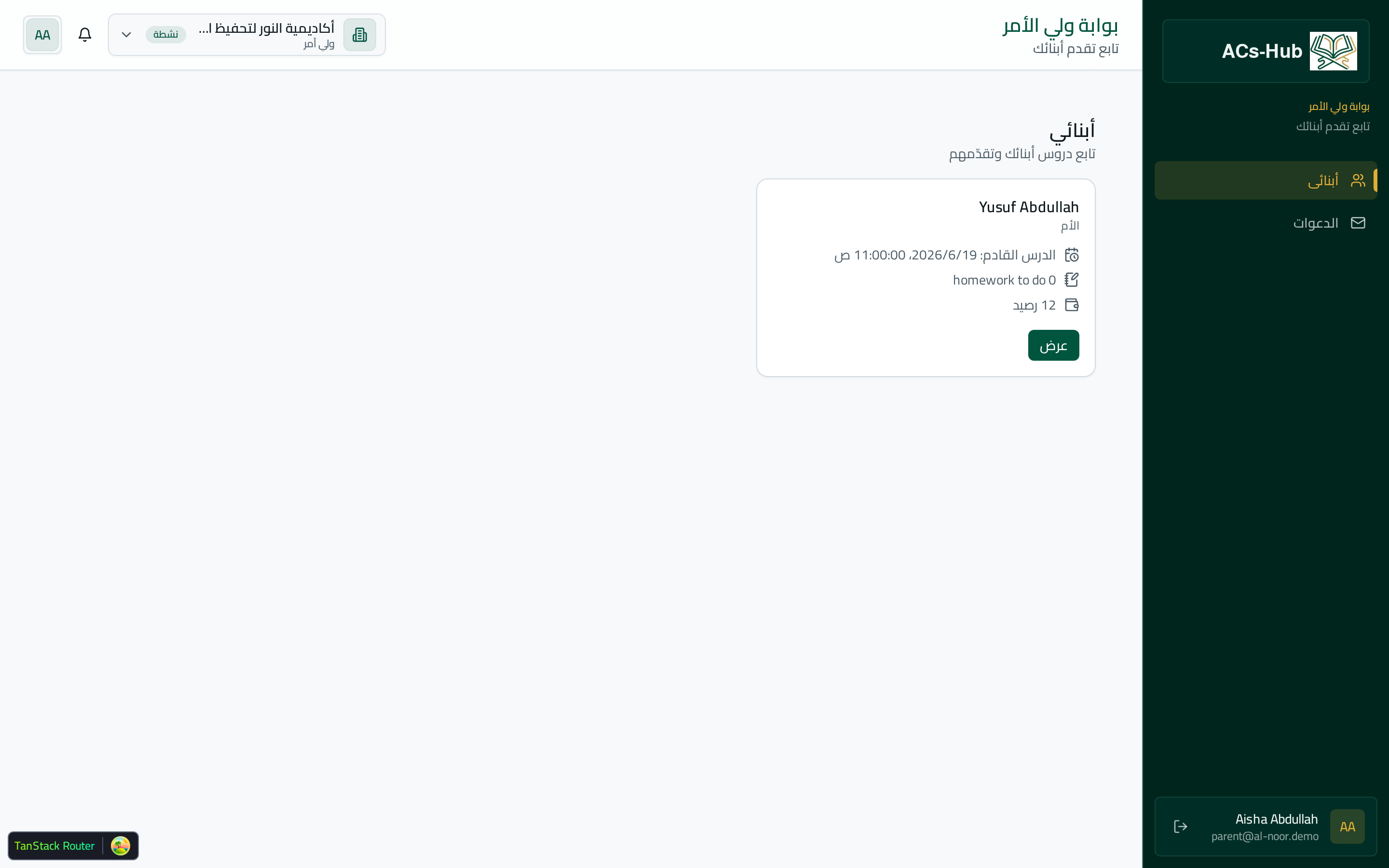
Quick facts
- Account type
- Read-only guardian
- Linking
- One parent → several children
- Visible
- Schedule, reports, homework, certificates
- Also visible
- Memorization & attendance
- Notifications
- On new lesson, report, or homework
Parents want to know their child is progressing, but answering each of them individually doesn't scale — and forwarding updates by hand is exactly the kind of work that eats an admin's day. A dedicated parent portal gives guardians precisely what they need, and nothing they shouldn't see.
One parent, every child
Guardians get their own accounts, separate from students, and one parent can be linked to several children in the same academy — all visible in a single view. A family with three children in different courses sees one dashboard, not three logins.
Follow every step, read-only
The portal is read-only by design: parents observe, they don't edit. That keeps the academy's records authoritative while still giving families full transparency.
- Each child's lesson schedule, upcoming and past
- Teachers' published lesson reports
- Homework with the child's work and the teacher's feedback
- Memorization, attendance, and completion certificates
Notified when it matters
Parents are notified when a child's lesson, report, or homework is published — so they stay informed without anyone chasing updates. Transparency for families, and zero extra admin for your team.
Key takeaways
- Guardians get a read-only account linked to all their children.
- They see schedules, reports, homework, memorization, attendance, and certificates.
- Notifications fire on new lessons, reports, and homework.
- Families get transparency with no extra work for your staff.
Ready to run your academy on one platform?
See how Academies Hub brings scheduling, payments, memorization, exams, and analytics together.